
Handovers & task ownership
“Who’s picking this up?”
Give the job an owner. Keep its progress and updates together, so the next shift can see what still needs doing.
See how the next shift picks upFor independent UK hospitality
Keep jobs moving, hand over clearly and find the right record. Angel Hub brings your hotel, pub or restaurant team’s work into one place.
Inside Angel Hub
From reception to the plant room
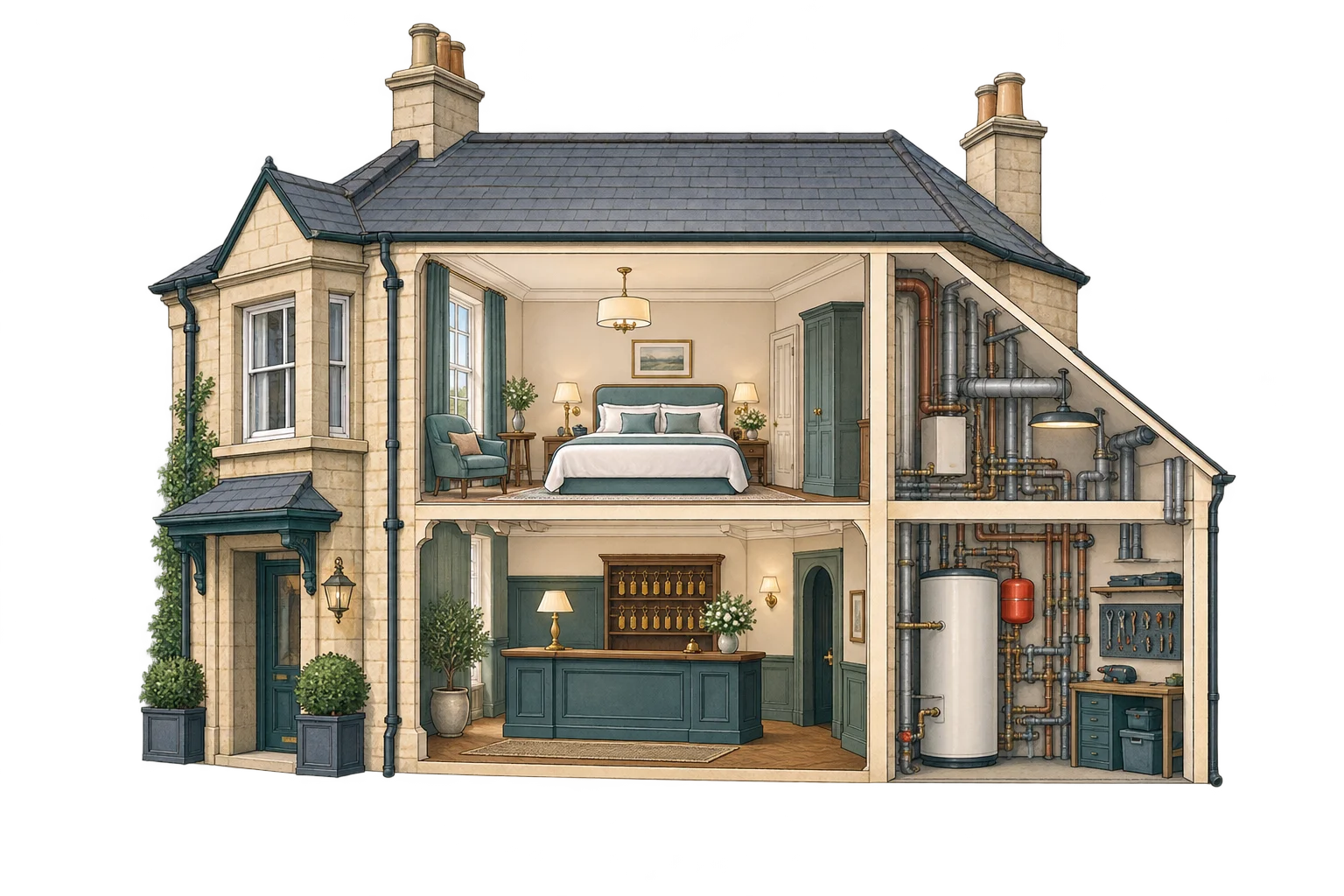
A small team has a lot to keep track of. Give the next person the job, the update and the information they need.
From the first guest to the last check of the night.
Handovers & task ownership
Give the job an owner. Keep its progress and updates together, so the next shift can see what still needs doing.
See how the next shift picks upRepairs & call-outs
Follow the job from the reported fault to the contractor’s visit. Keep dates, photos and the engineer’s updates with the work.
Follow a real exampleKnow-how & new starters
Make procedures, manuals and practical notes searchable. Give new starters somewhere to look, even when the person who knows is off shift.
Put the answer within reachChecks, safety & inspection records
Keep completed checks, safety documents and certificates organised. Find the relevant record when an inspector asks for it.
See how Angel Hub helps Includes hotel compliance guides for England.See it in the real app
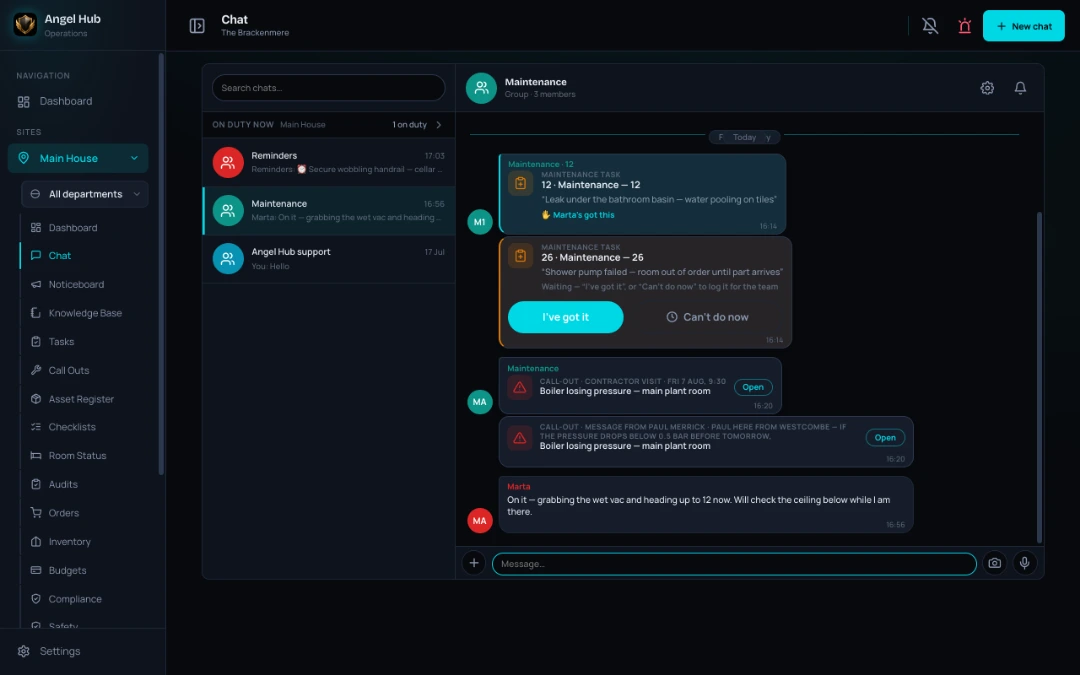
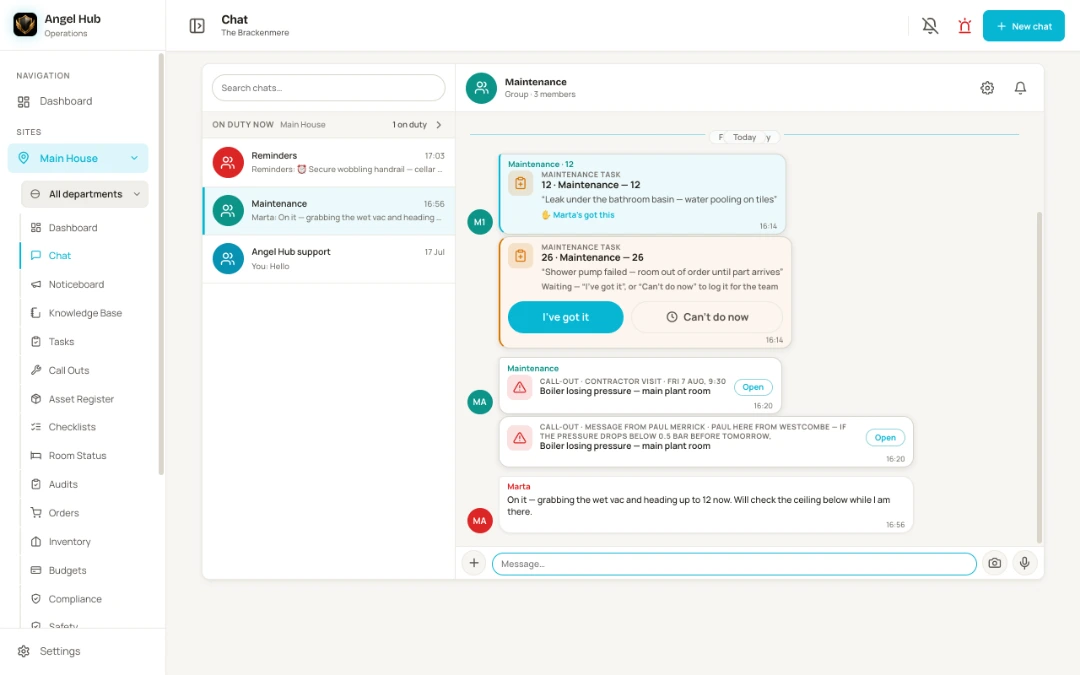
See how a reported problem reaches the person doing the work. These are genuine screens from our demo hotel.
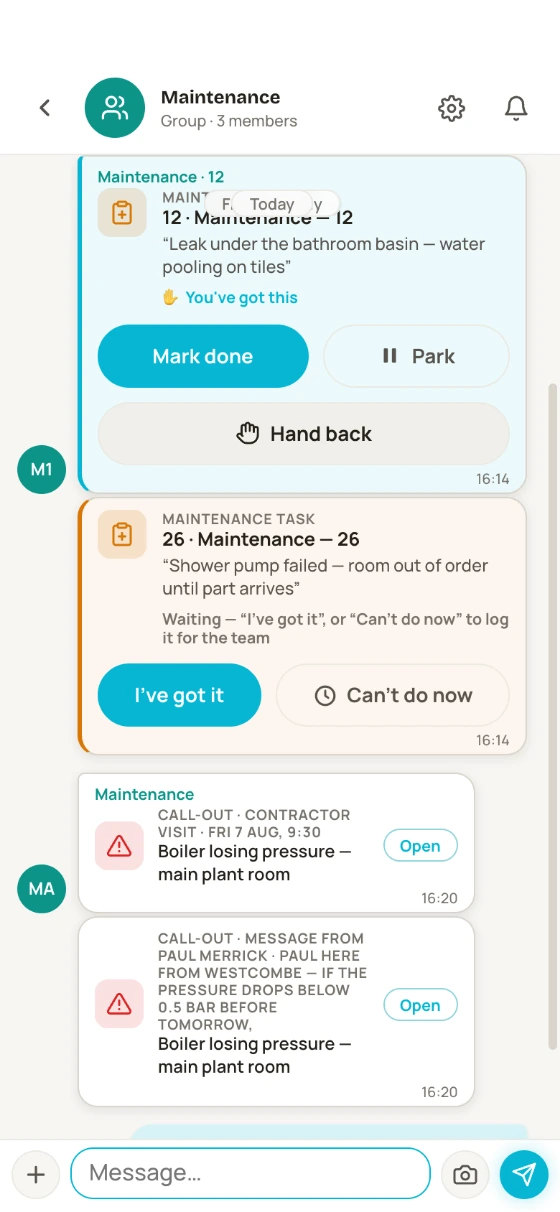
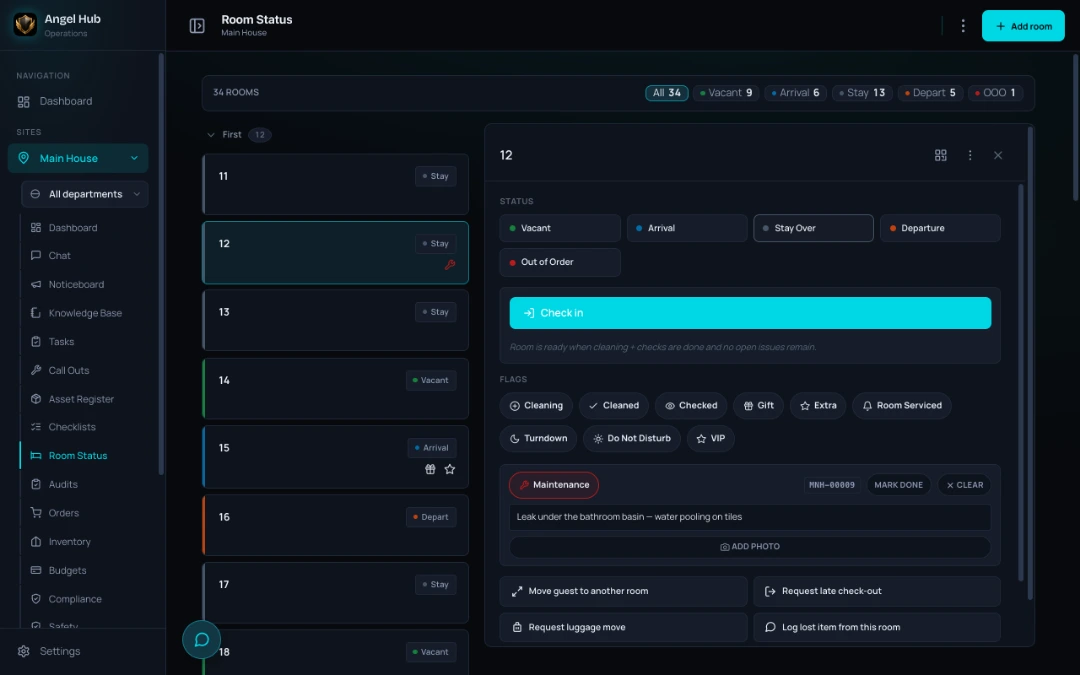
Housekeeping flags the leak. A task and chat card carry the fault to maintenance. Marta claims it, so the team can see someone has picked it up.
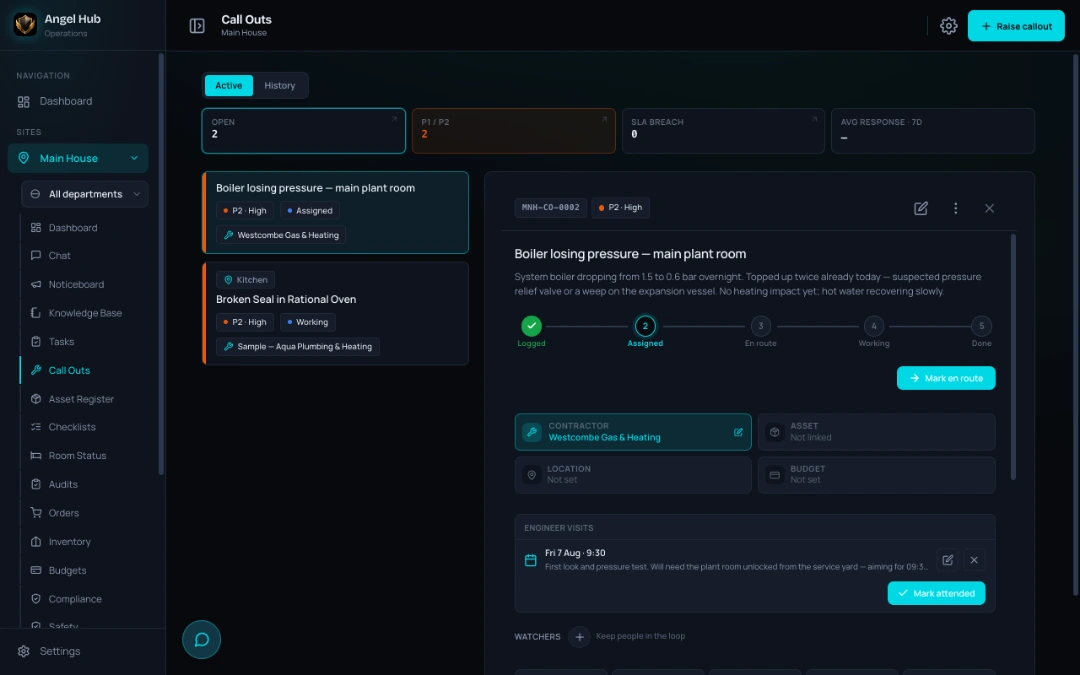
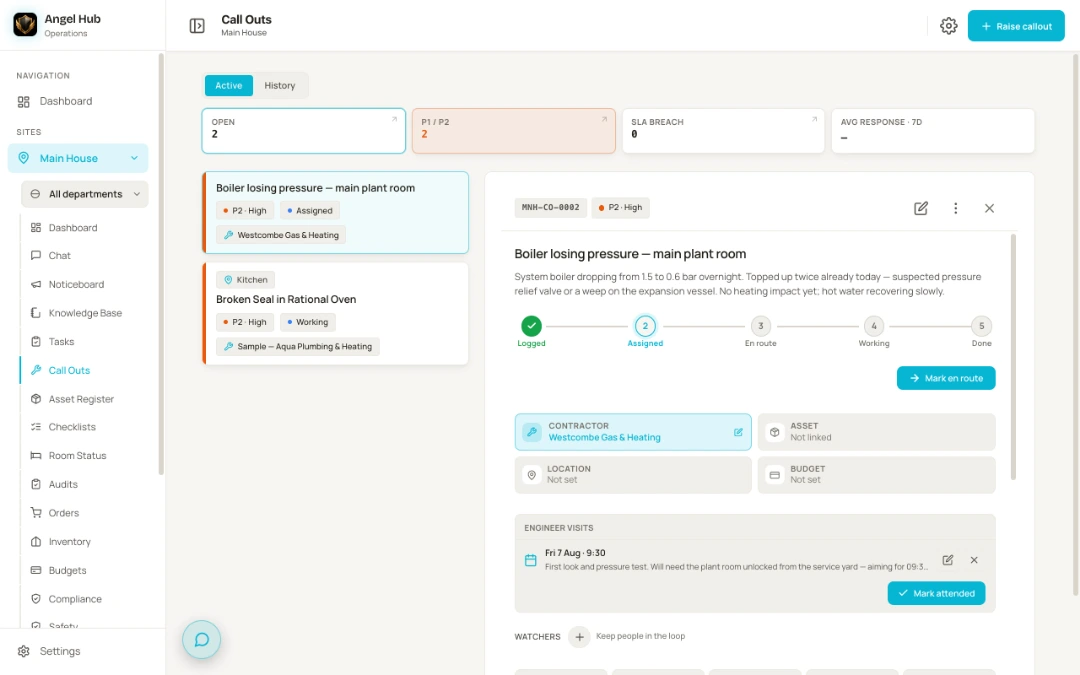
Need an engineer? Turn the task into a call-out, assign the contractor and keep their visit and report with the job.
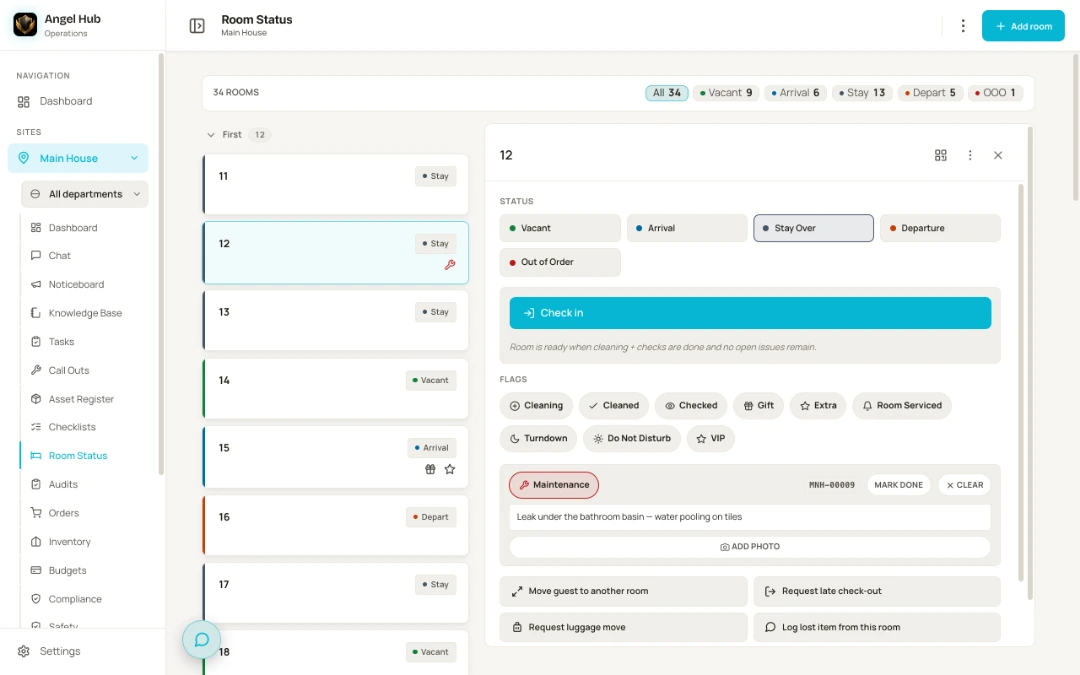
Real app screen: the room 12 job is claimed. A separate boiler call-out shows an engineer’s booking below it.
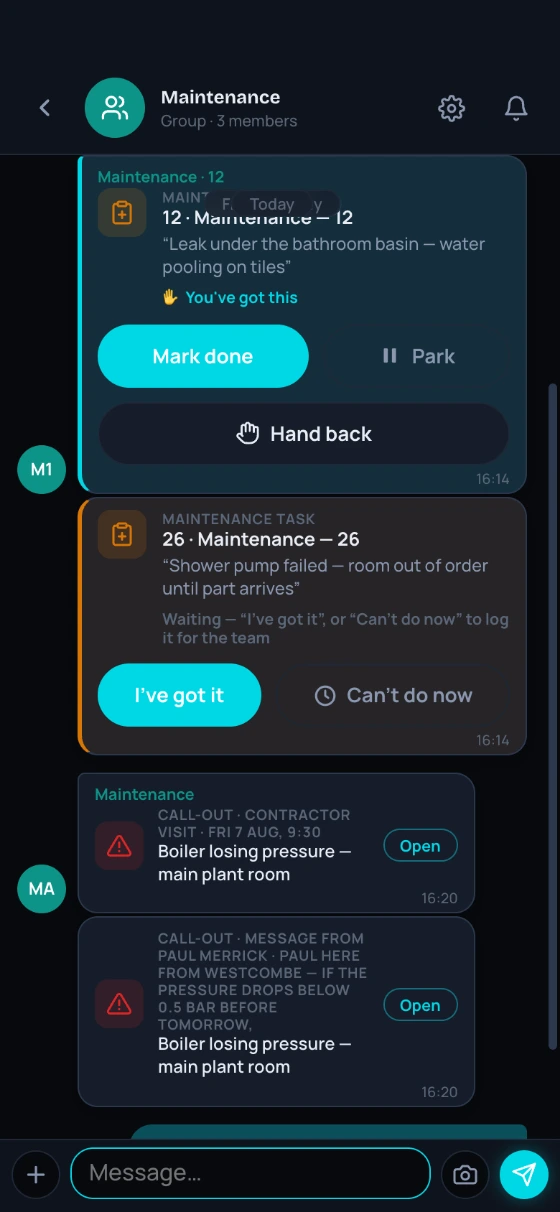
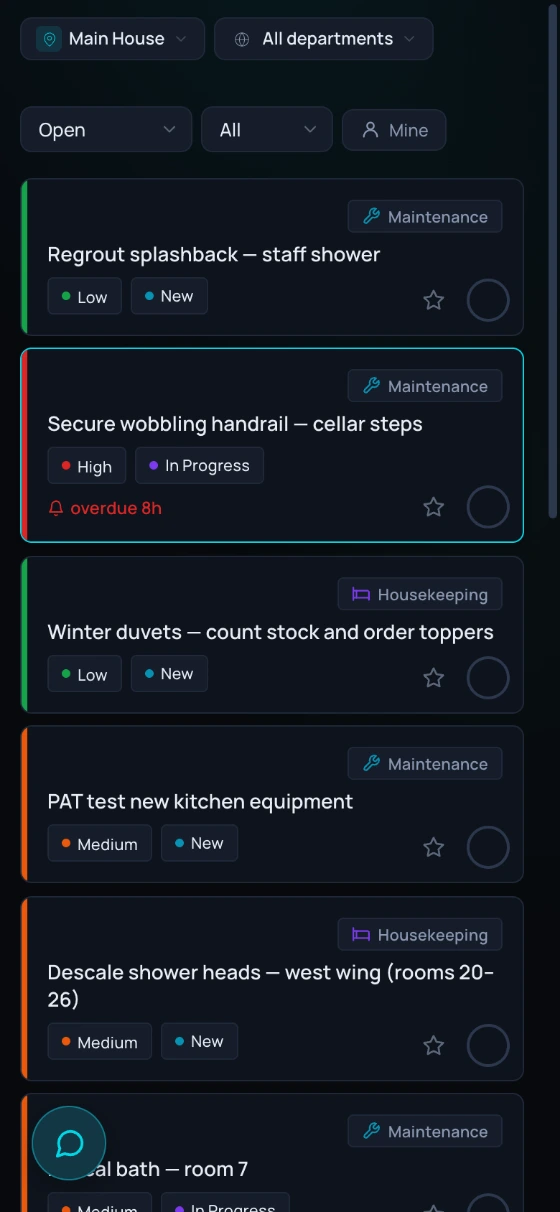
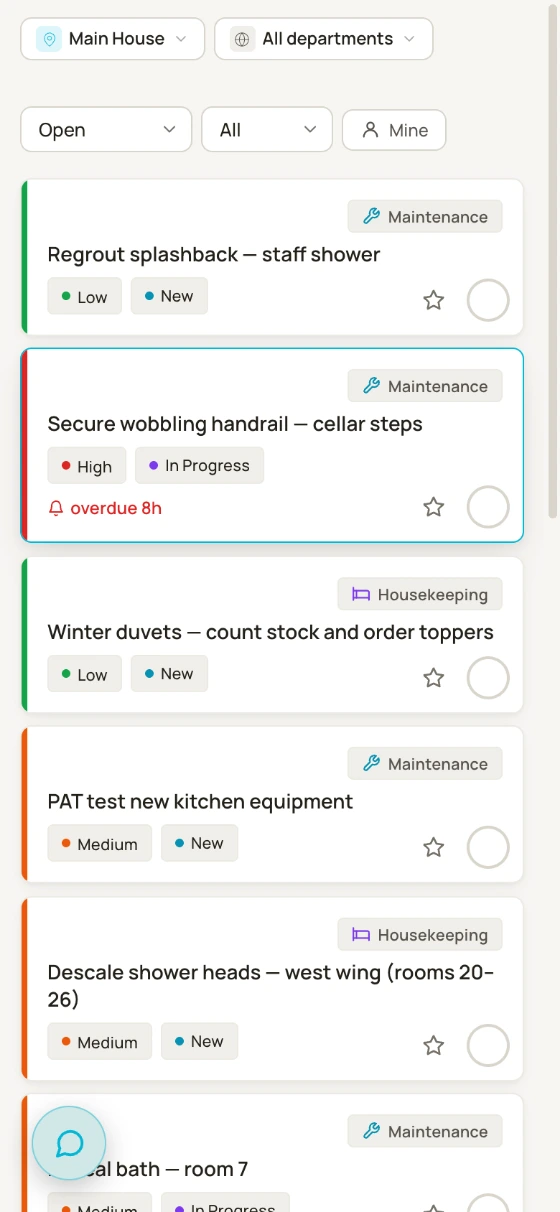
Tasks and call-outs show their stage and next step. Everyone has their own list, so the night team can carry on.
Keep the handover grounded in the work that is still open, with the task history there when someone needs the detail.
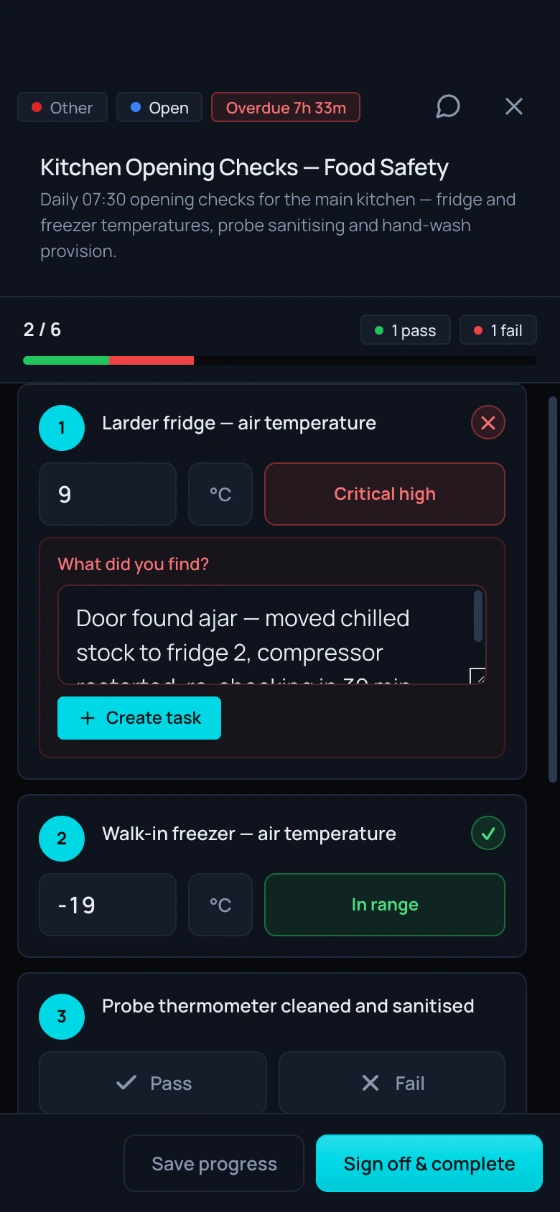
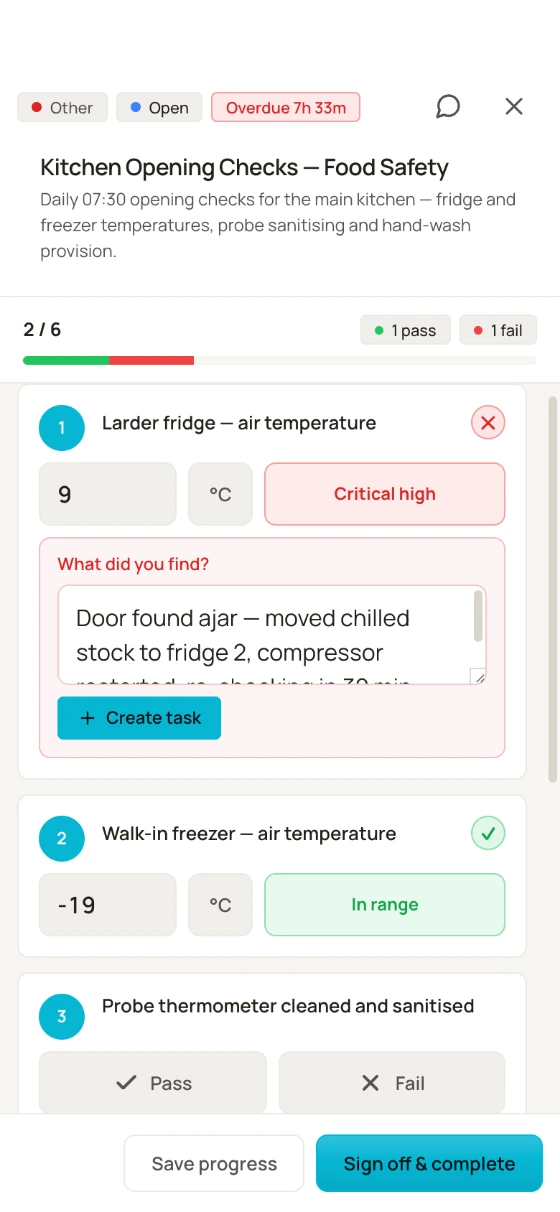
Follow instructions on a phone and record the reading. Your own safe ranges flag when something needs attention.
One tap opens a ready-made task with the fault and location filled in. Signed-off checks keep an exportable history linked to the follow-up work.
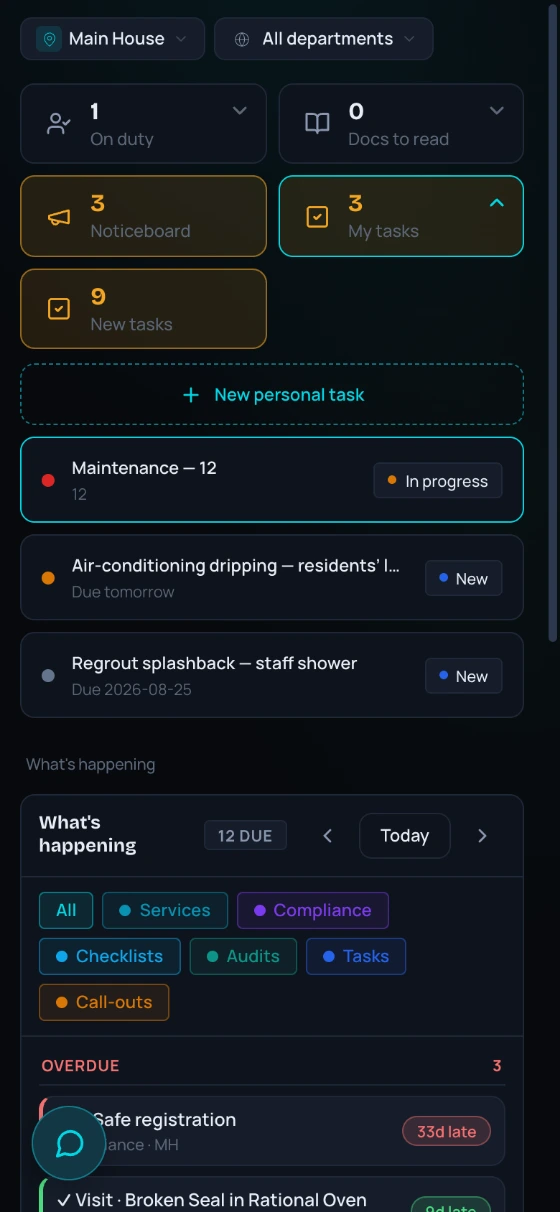
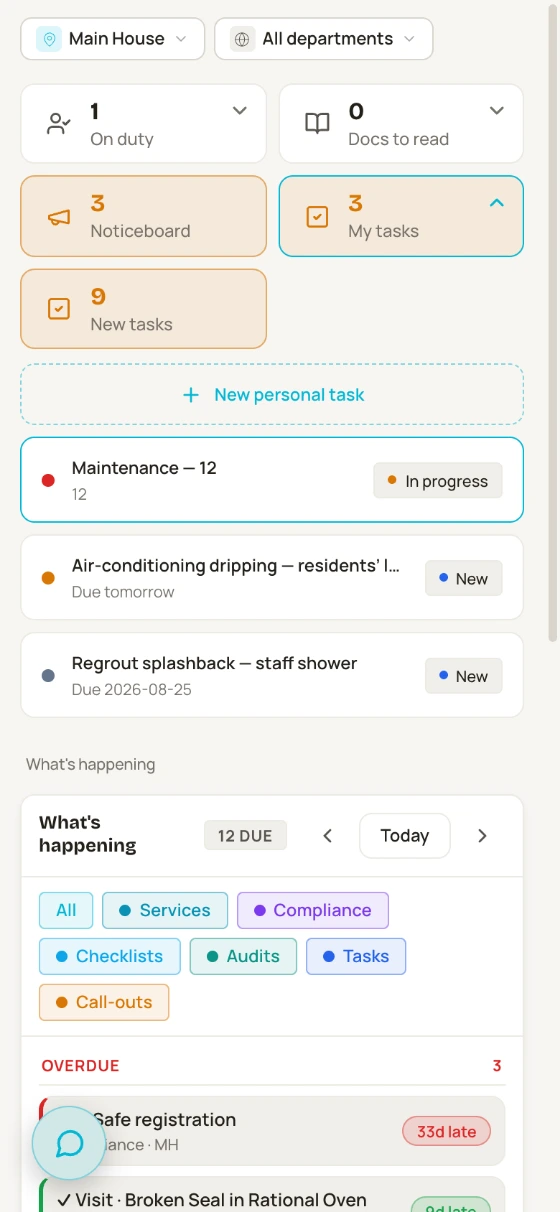
Your own tasks sit at the top of the dashboard, urgent first and overdue flagged. The due calendar shows what the site owes:
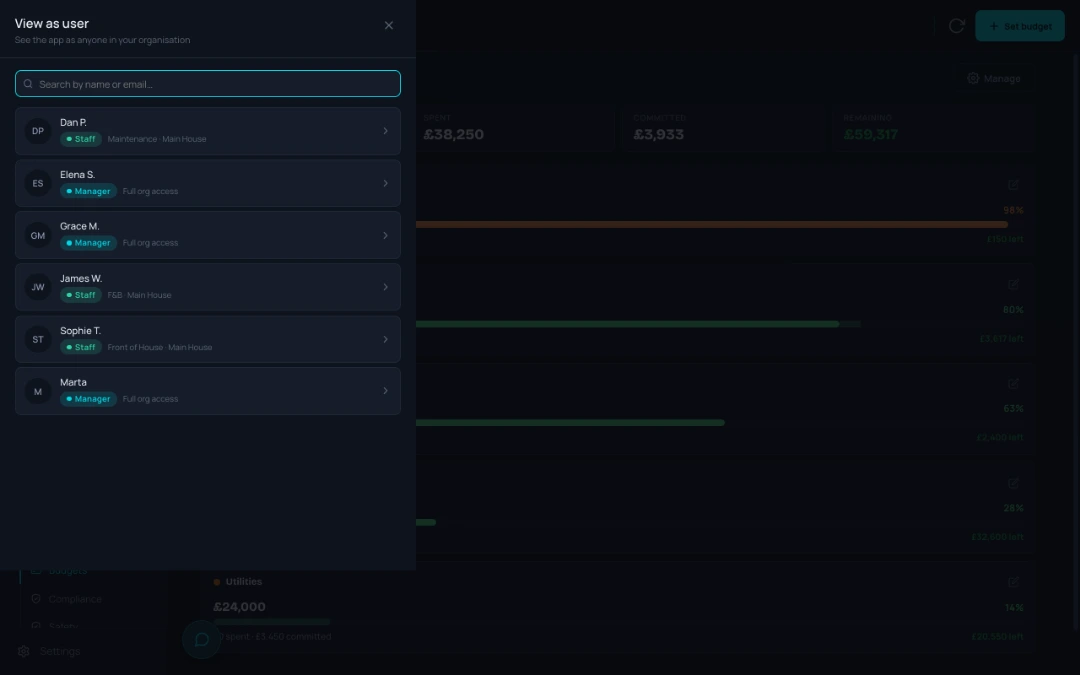
Who’s on duty, documents to read, training and notices are alongside it. Managers can see the departments and sites they oversee.
Getting started
Bring one real problem to the demo. We’ll walk through how Angel Hub handles it on a phone.
We set up your sites, departments and team together. Ready-made roles and 27 service schedules give you a starting point.
Staff install it from the browser. Add your first checklist and assets, then build up one routine at a time.
One place for the whole story
Explore how the jobs, conversations and records join up. Start with the tools your team needs today.
Every line is a live link inside the product. Each tool is explained below, in What’s inside.
Every line is a live link inside the product. Tap any tool to see what it means for your team.Tasks, checks and shared knowledge can be your starting point. The rest is there as your routines grow.
Explore all the toolsMaintenance with the history attached
Give every boiler, bed and fridge its own record. Find the manual, check its history and put the details in the engineer’s hands with a QR label.
Browse by location or category, or use photos to find the right asset. Its details, manuals and instructions stay together, ready for the person doing the work.
Your team scans the label to raise a call-out, add a task, log a service or open the instructions, with the asset already selected.
An engineer scans the same label without an account. They see the asset’s details, servicing dates and open jobs with fault photos. Their visit report records the work, photos, costs and outcome, and notifies everyone watching that job.
The asset’s timeline brings its jobs, services, notes, photos and documents together. Running costs show what it has cost year by year. Enter a replacement price and the register flags when repair spending approaches it.
Due and overdue servicing is flagged; one tap creates a maintenance task. Send a service engineer a secure worklist link and they can log each service, certificate and cost without an account.
What’s inside
Start with the problem you need to solve. Explore how the tools connect, and what each department can use in its daily work.
The WhatsApp groups retire. Communication moves to where the work is — with the company’s knowledge one tap away.
Any message can become a task, and almost any record — a task, an asset, an order, an audit, a published rota week — can be dropped into a conversation as a card and opened straight from it.
Everything the business knows — how to fix it, where it’s stored, who to order from — searchable by the whole team, and it stays when people leave.
The daily engine: who does what, where, by when — visible to the whole team. And not just housekeeping: kitchen, maintenance, front of house and spa each run their own tasks, checklists, audits and knowledge, in the same connected system.
Photos and instructions show exactly what to test. A failed check becomes a ready-made task in one tap — asset and department pre-filled — temperature readings build a month-by-month history, a meter reading is filed straight into Energy, and a compliance duty can point at the checklist that proves it is done.
The housekeeping day board reads the rota for who is on today and shows the day’s live checklists beside the rooms; a routine can carry its how-to page and the kit it concerns, and a room check is an audit started from the room’s own page.
Build it as a draft, publish it when it is right, and the department chat gets the week as a card anyone can open; staff see only what has been published. The housekeeping board reads it to put today’s people first. As you build, it flags what the Working Time Regulations ask for, with the regulation named beside each warning.
From “it’s broken” to “fixed, documented and paid for” — with the history to prove it.
It carries its asset, contractor, costs and documents, and everyone can follow every stage.
Project plans, audit questions and housekeeping routines point at the same record, and it knows its budget pot. Repair or replace stops being a guess.
Every contractor’s full job history and paperwork in one record — attach them to a piece of kit, put them on a project team, and their insurance expiry appears on the compliance calendar before it lapses. When their engineer signs in at the door, the visit lands on their record too.
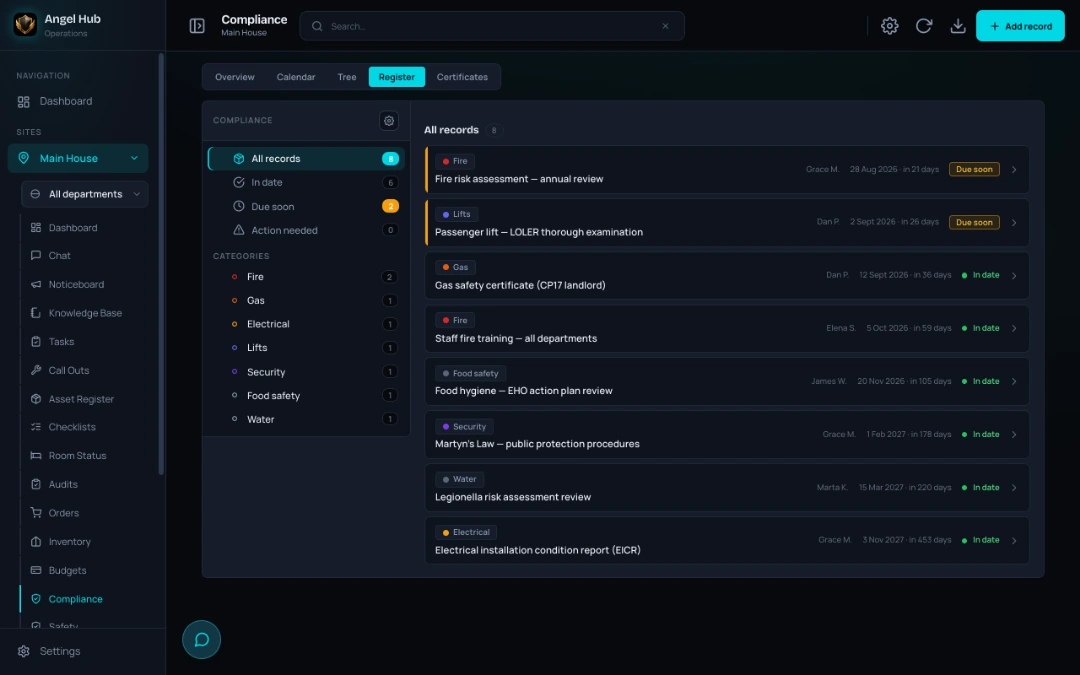
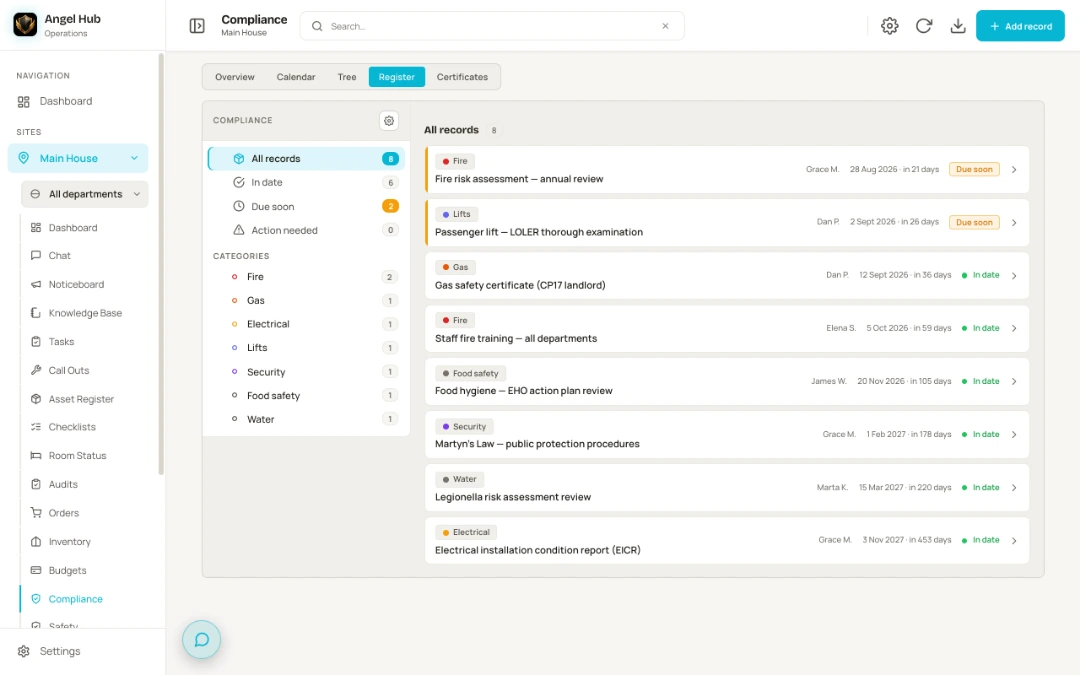
When the EHO, the insurer or head office asks — the answer is already written down.
Its calendar shows when a contractor’s insurance runs out, and your own compliance map can point any duty at the recurring checklist or task that proves it is done.
We also publish what the law actually asks of a hotel in England.
The compliance guidesRisk assessments and COSHH with staff sign-offs — a hazard can raise an action task straight from the form, and overdue document reviews are posted into a chat group you choose, with a task attached.
Reception sees who is on site now, the team receiving them gets an arrivals card in chat, and a contractor’s visit lands on their record with any expired paperwork flagged. When the alarm goes, that list is the roll call — “12 of 14 accounted for”.
Sign off an audit and every failed item spawns its corrective task — routed to the right department, with the auditor’s photos and the asset the template tied to that question — and the two stay linked. Tie the template to a budget pot and those tasks land in it, badged “Audit”.
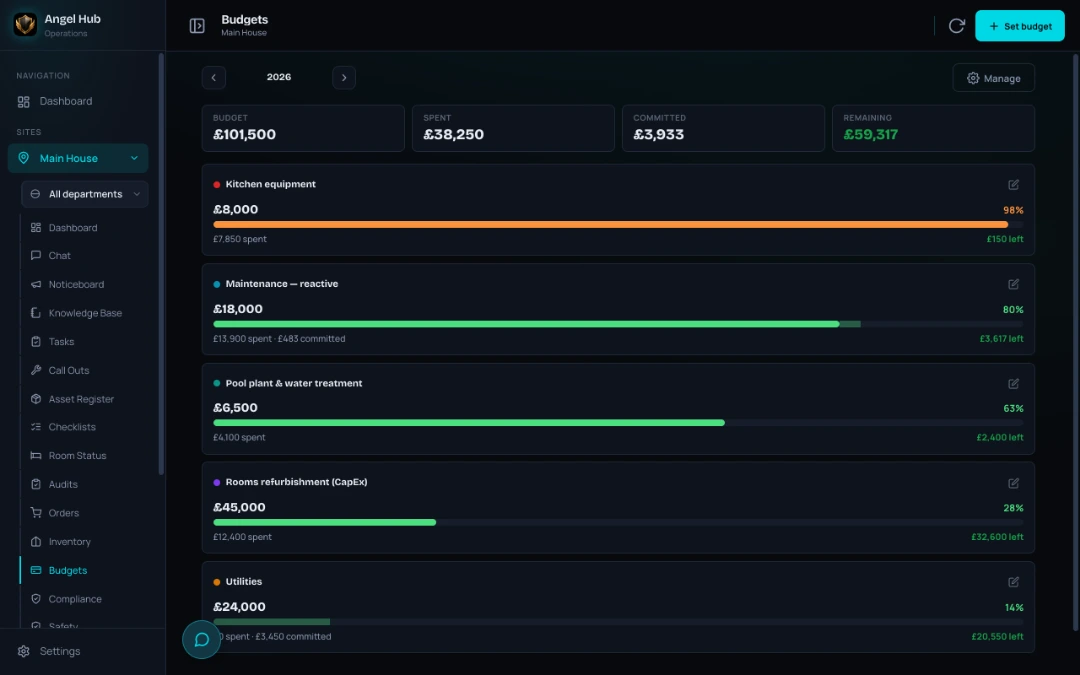
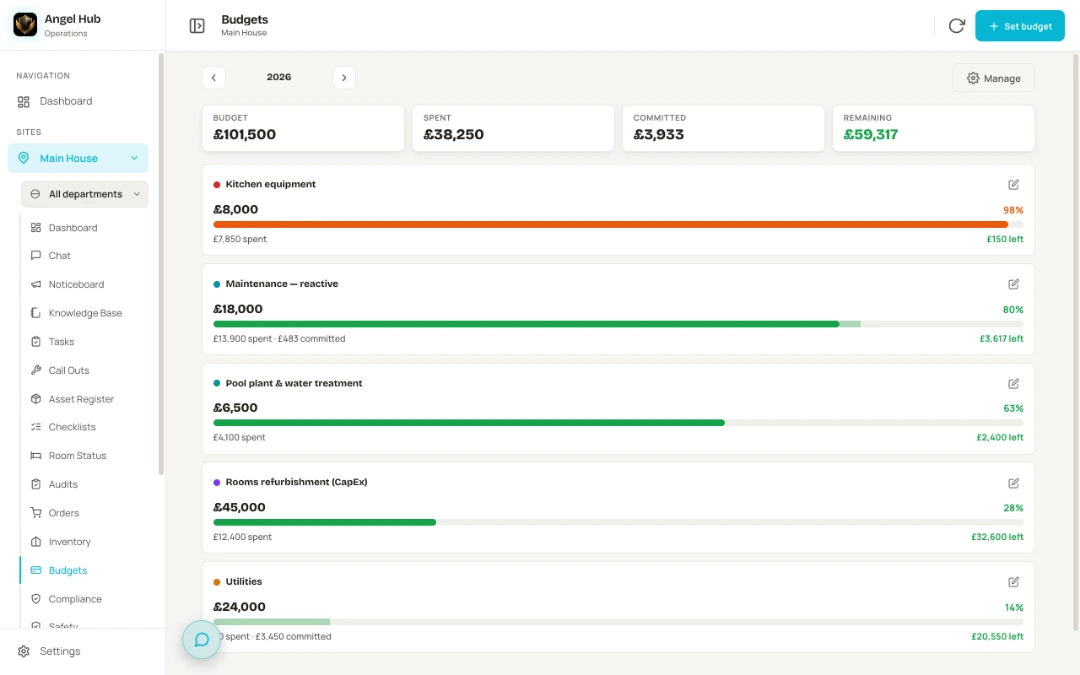
Spend and stock stop being a month-end surprise — every cost lands where it belongs, as it happens.
Spent and committed, side by side. Audit templates and store orders carry a pot too, so what follows from them is costed from the start.
A hotel fills a basket and sends it as one order, naming the budget pot it should come from; the store desk works one queue and marks each line — not started, on order, ready to collect, part delivered — and raises the supplier order for anything it has to buy in, pot attached. Stock and paperwork move; money does not.
Statistics reads across tasks, call-outs, checks and spend — so you can see where the pressure is building — and its assurance panel reads certificates, safety documents, contractor cover and open audits to show how covered you are right now, each tile opening the module behind it.
Built for groups, priced for independents — because small hotels deserve the same tools as the big groups.
Pricing
No two hotels run the same way, so we price each one on its own. Tell us about yours and we’ll give you its price.
Book a demoRunning a group? 2–10 properties with one view across sites — talk to us.
Who’s behind it
Radek built Angel Hub after years running hospitality operations in one of the UK’s most admired independent hotel groups. It is the tool he needed on shift: one place for the work, the records and the conversations around them.
The aim is simple: less chasing and paperwork, and more time for the people running the hotel.
10% of Angel Hub’s profits go to community projects — and we show you exactly where every pound went.
Honest answers
Book a demo
Bring a repair you keep chasing, a difficult handover or records you struggle to find. We’ll show you how the work fits together in Angel Hub.
Email us to arrange your demo: info@angelhub.co.uk