How it works · six things to understand

How a hotel runs on Angel Hub.

Before you buy anything, it helps to understand the shape of the thing: who sees what, what your first month looks like, when the app acts by itself and when a person decides, how money reaches a budget, how your team learns it, and who uses it without ever creating an account.

Six short answers, each with a real screen from the app. This is the shape, not a manual — every claim here is checked against the app before it is published.

Jump to:

The six things

Understand these, and the rest explains itself.

Each one is a way the app behaves on purpose. Once you know them, every screen makes sense — and you will know what to ask on the demo.

1 · Who sees what

Three separate things decide what a person sees and can do.

A department decides which tools that team works with and where work is sent — Housekeeping’s list is Housekeeping’s, Maintenance’s is Maintenance’s. A role decides what anyone may actually do: four built-in roles — owner, manager, staff, viewer — and five ready-made hotel roles you can hand out as they are:

  • Head Housekeeper
  • Maintenance Engineer
  • Front Desk / Reception
  • F&B Supervisor
  • Finance / Bookkeeper

Scope decides how far someone can see: which sites, which kinds of department. Belonging to a department and being able to see it are deliberately different things, so a manager can see Maintenance without being in it — and an ops director sees every department at every hotel from one place.

Not sure what someone will see? Open the app as them. View as shows you their exact view before you hand over the phone.
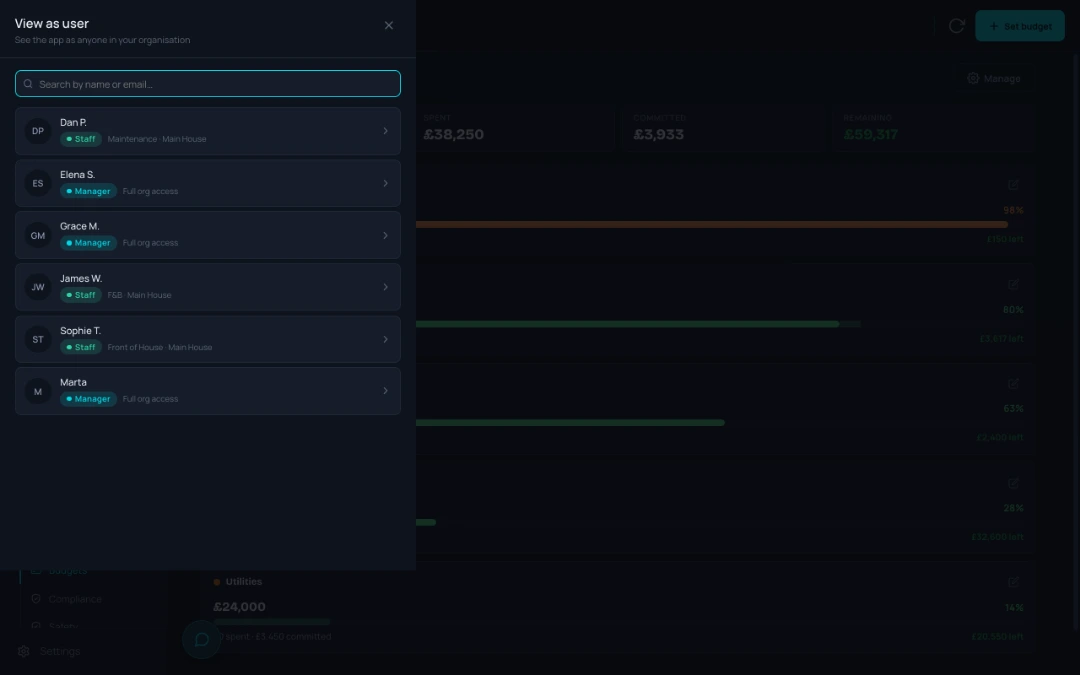
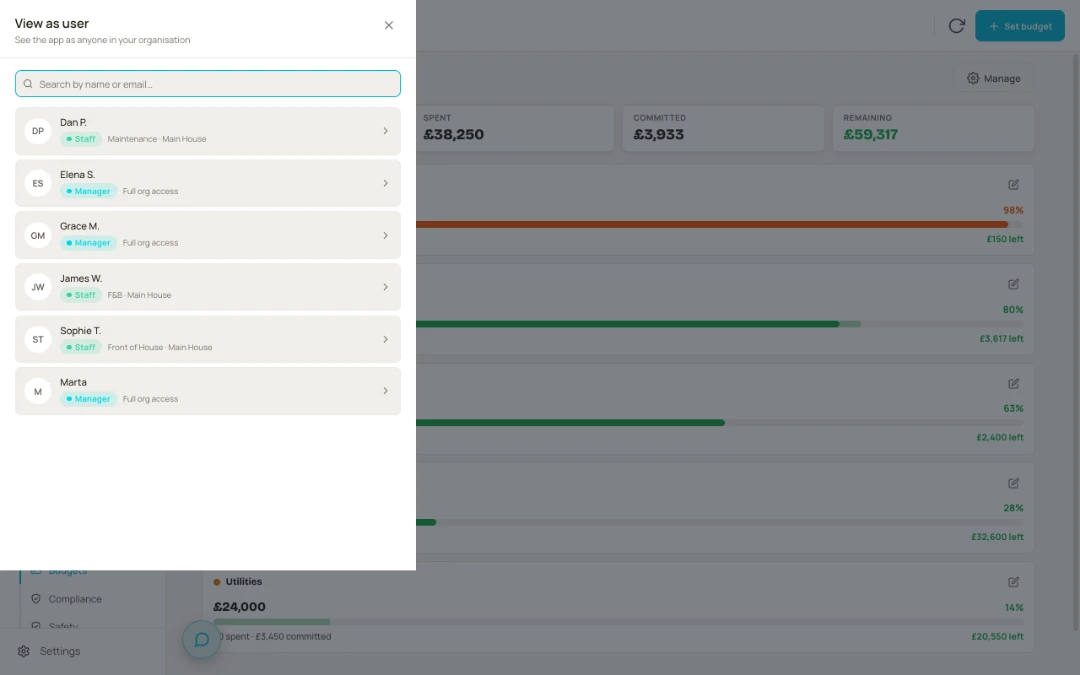
The View as user picker — see the app as anyone in your organisation, each person listed with their role and access before you open their exact view The View as user picker — see the app as anyone in your organisation, each person listed with their role and access before you open their exact view
2 · The first month

You start with your people in, your data out, and more ready-made than you would expect.

Your sites, departments and team go in during the set-up call. What the account does not come with is somebody else’s hotel: no checklist templates, no audit templates, no asset register, no rooms, no suppliers, no budget pots. Nobody wants another hotel’s fridges.

What does arrive ready-made: 27 service schedules — gas safety, LOLER, EICR, fire alarm and the rest — each with its legal reference and marked law or guidance, added with one button; 15 safety and compliance categories; a written eight-slide fire-safety course; and a checklist that works at one hotel can be copied to another.

Somebody still has to build the kitchen opening checks — and that somebody knows the kitchen. Do it one routine at a time. If you would rather start small, we can set each department up with just four tools — tasks, rooms, call-outs and chat — and switch the rest on when you ask.

3 · The app routes, people decide

Work is routed to the right list. A person still picks it up.

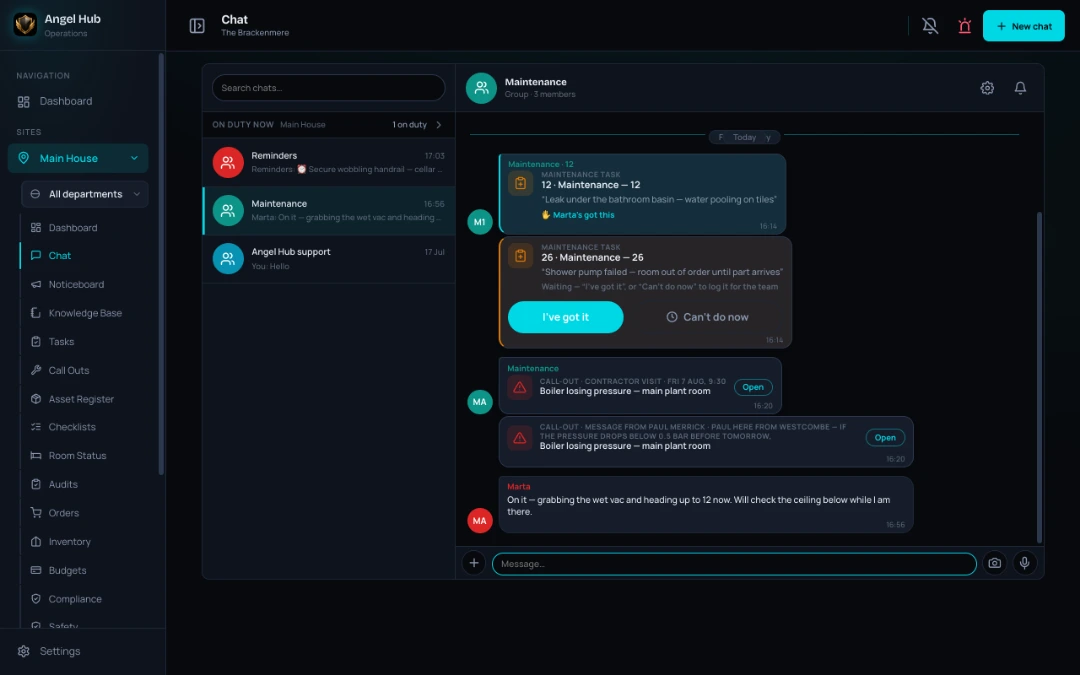
Work that arrives from outside your own list lands as a card someone claims: a request in chat, a guest’s request from the room’s QR code, a fault reported from a poster, a call-out request once it has been approved. “Someone deal with this” becomes “Marta has it”, and everyone can see that it has.

The same idea runs through the app. A notice can be must-read, and shows who has confirmed it. A safety document — or a Knowledge Base document you have been asked to read — sits on your dashboard until you have read it. A failed check opens a ready-made task with the asset and department already filled in, and you press save.

The one place the app acts on its own is an audit: sign it off and every failed item raises its corrective task automatically, routed to the department the template chose, with the auditor’s photos attached. That is the exception, and it is deliberate — an audit is evidence, and evidence should not depend on someone remembering.

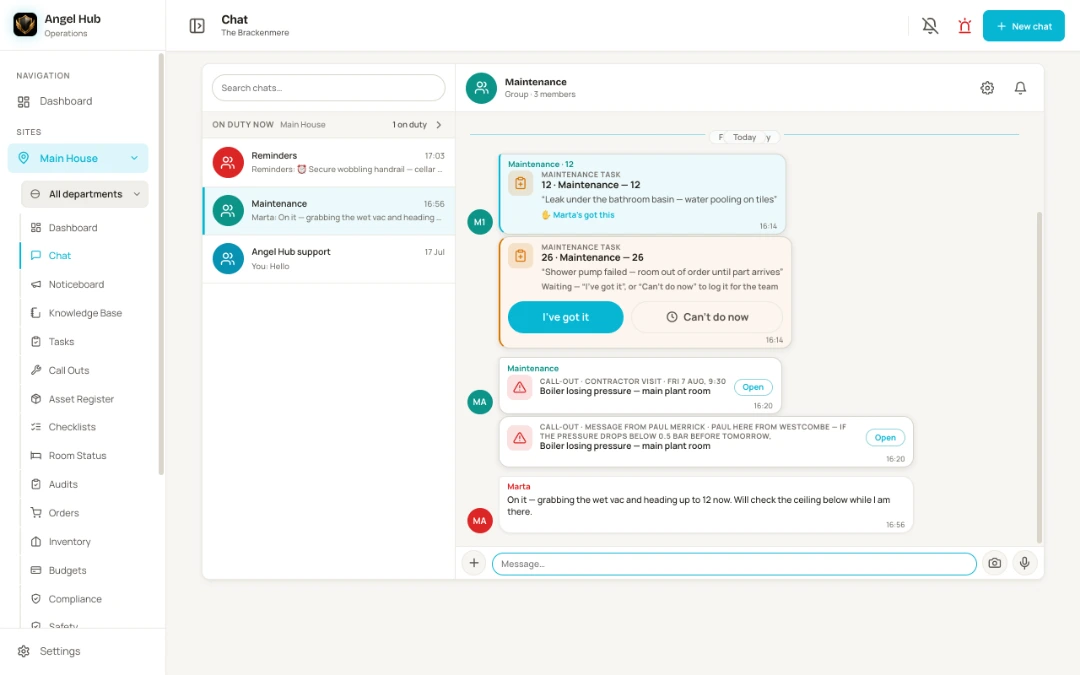
Chat on a desktop — the room 12 leak card claimed by Marta, a second job card still waiting for I’ve got it, the boiler call-out with the contractor’s own booking and message, and who’s on duty shown above the thread list Chat on a desktop — the room 12 leak card claimed by Marta, a second job card still waiting for I’ve got it, the boiler call-out with the contractor’s own booking and message, and who’s on duty shown above the thread list
4 · How money reaches a budget

Tag the job with a pot, and every cost logged on it counts against that pot.

That is the whole rule. A task, a call-out, an order or a new asset can carry a budget pot; audit templates and group-store orders carry one too. Nobody re-keys spend into a spreadsheet — the cost is logged on the job it belongs to, and the pot moves.

Costs go in through one shared form wherever you are in the app: eight categories — call-out charge, labour, parts, travel, return visit, subcontractor, quote, other — a VAT rate on each line, and a switch for typing trade prices ex-VAT or a receipt inc-VAT. Everything is kept ex-VAT underneath, so a pot’s spent and committed figures always add up the same way.

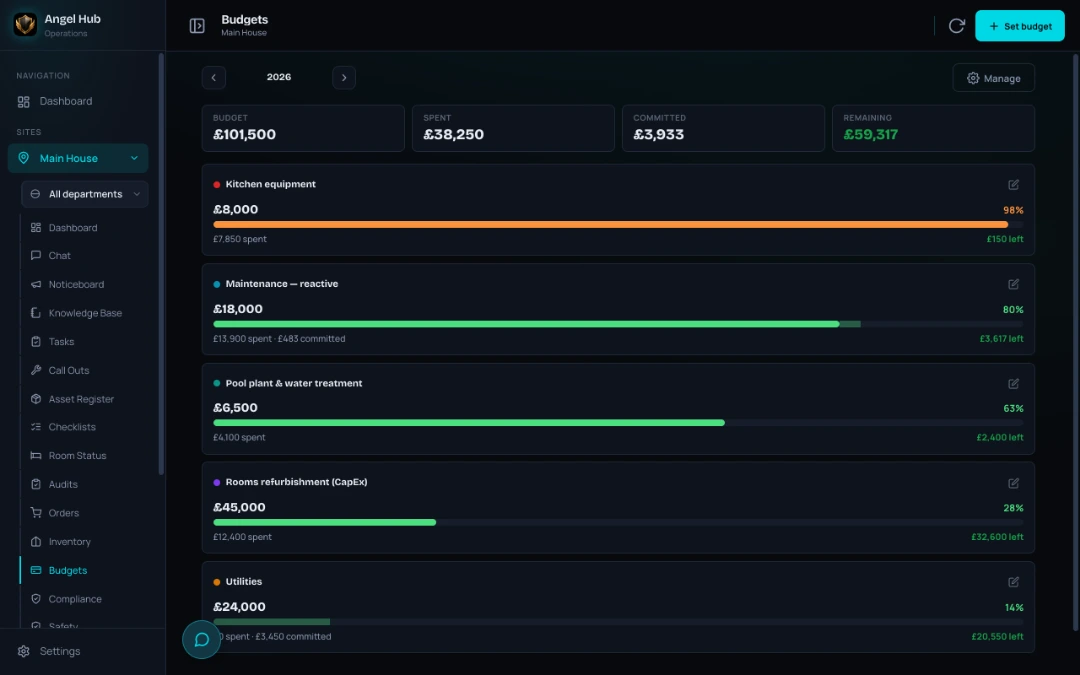
Budgets shows the pots for the year as red-amber-green bars with a drill-in, so the question “what has the kitchen actually cost so far?” is a glance, not a Friday afternoon.

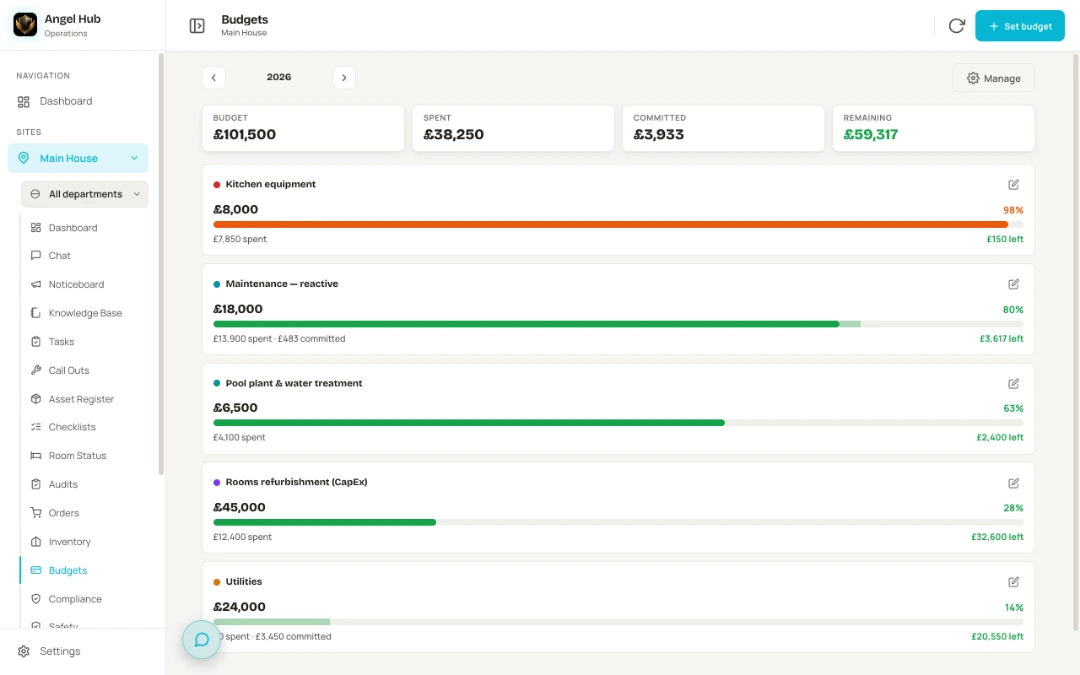
Budget pots with red-amber-green bars — kitchen equipment at 98 per cent in amber with £150 left, reactive maintenance showing spent and committed amounts, and pool plant, rooms refurbishment and utilities pots comfortably inside Budget pots with red-amber-green bars — kitchen equipment at 98 per cent in amber with £150 left, reactive maintenance showing spent and committed amounts, and pool plant, rooms refurbishment and utilities pots comfortably inside
5 · How your team learns it — and how you know they use it

Training is a document you already have, and adoption is a number you can see.

A course is a Knowledge Base document used as the lesson — one section becomes one slide — plus a completion record, and where it matters a hands-on sign-off by a named assessor. Reading the slides alone never completes a course that asks for a practical sign-off. Change the refresher period and it applies to everyone already trained, not just the next person.

Then the question every owner asks quietly: is the team actually using it? Statistics has a team-adoption panel for you and the owner — who is active today, how many distinct people in the last 30 days, the most-used features, and the trend. Software your staff quietly abandon is the expensive kind, and this is how you would know.

6 · Everyone who uses it without an account

Nobody you work with has to create an account.

A guest scans the QR code in the room and sends a request. A member of staff scans a poster to report a fault. A contractor opens the booking link you sent, confirms the visit and files the report — before-and-after photos, costs, outcome — from their own phone. A service engineer works from a link to their worklist. Visitors and contractors sign themselves in from a poster at the door.

And the QR label on every asset opens that asset’s history for the engineer standing in front of it — every call-out, task and cost, plus the documents that belong to it. Your team has accounts. Everyone else just has a link.

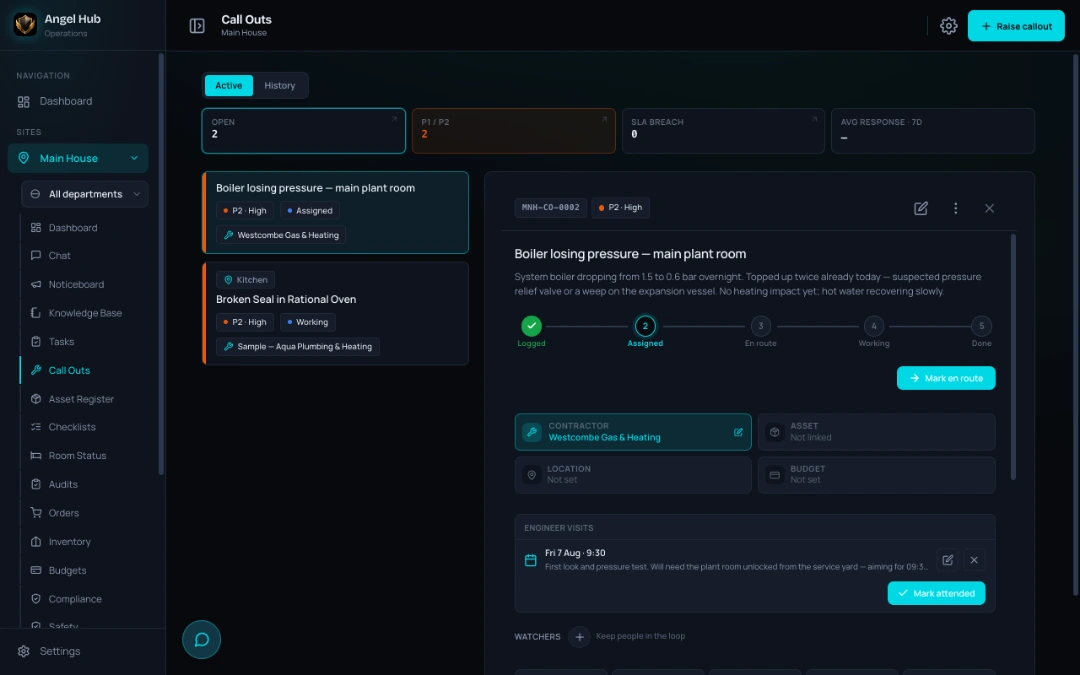
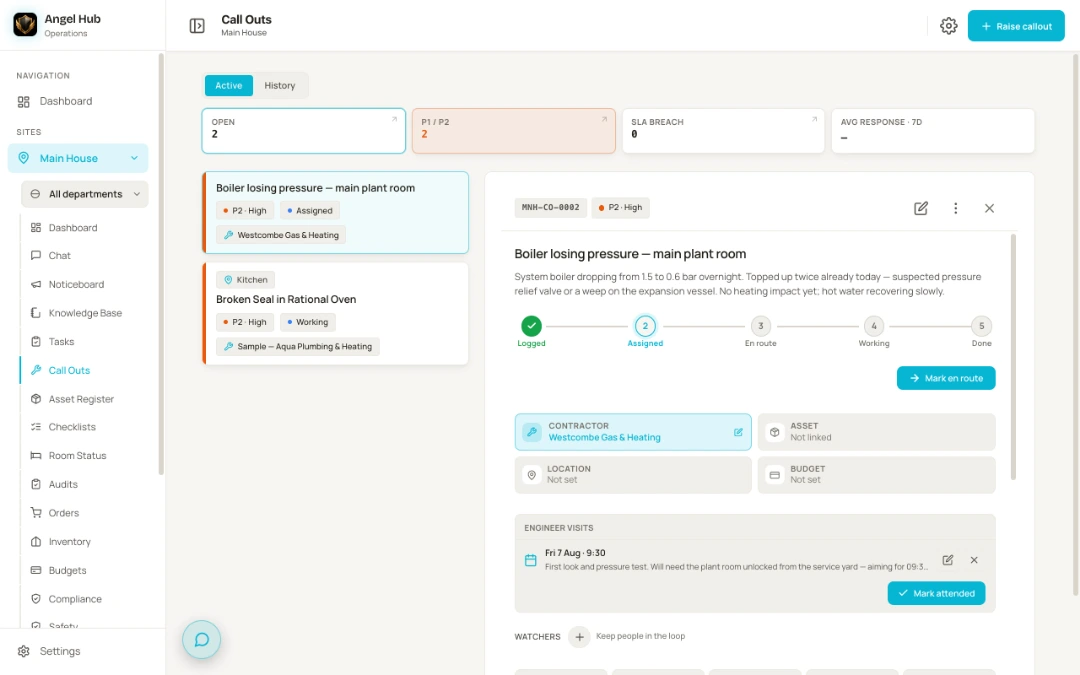
A call-out record — the contractor assigned to the boiler losing pressure, the stage tracker showing logged, assigned, en route, working and done, and the engineer’s own booked visit with their note about the first look and pressure test A call-out record — the contractor assigned to the boiler losing pressure, the stage tracker showing logged, assigned, en route, working and done, and the engineer’s own booked visit with their note about the first look and pressure test

Where to go next

See it running, then see it on your phone.

The home page walks through a day with it, from the 07:00 dashboard to the night handover. The compliance guides show what the law in England expects and how each routine is set up. And the demo is where you bring one real problem from your hotel.

A day with it

The shift, the morning checks, the leak in room 12, the handover — one day, every step connected.

Follow the day

Compliance guides

Law versus guidance, honestly marked, with sources — and the routine that covers each one.

Read the guides

Getting started

No IT project. What happens on the call, what your team does in week one, and what arrives ready-made.

How it starts

Book a demo

See it on your phone.

Bring one real problem from your hotel — a repeated leak, a messy handover, an audit you dread — and we’ll show you what it looks like when everything is connected.

Or write to us: info@angelhub.co.uk